6. Stem and Leaf plots
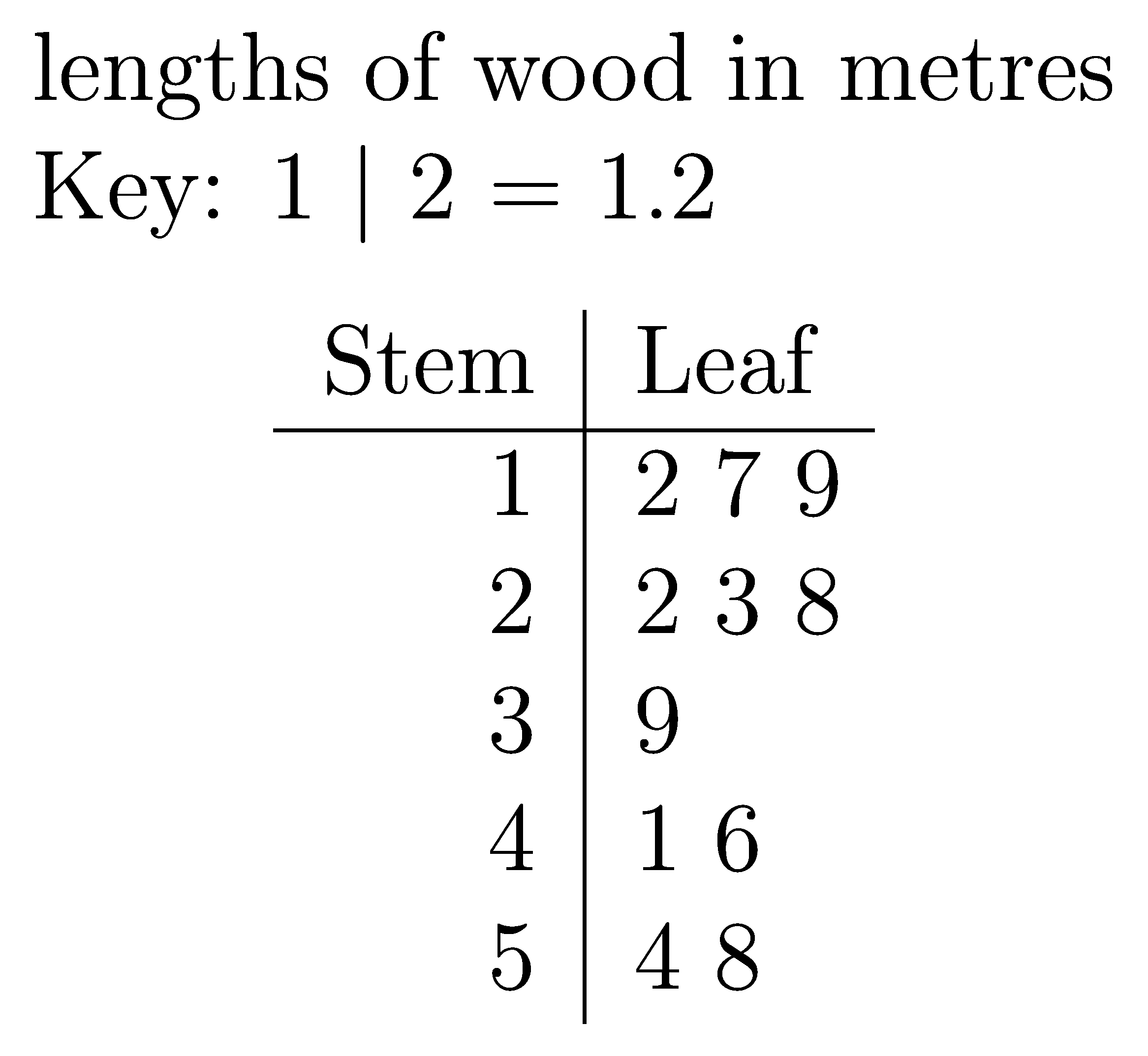
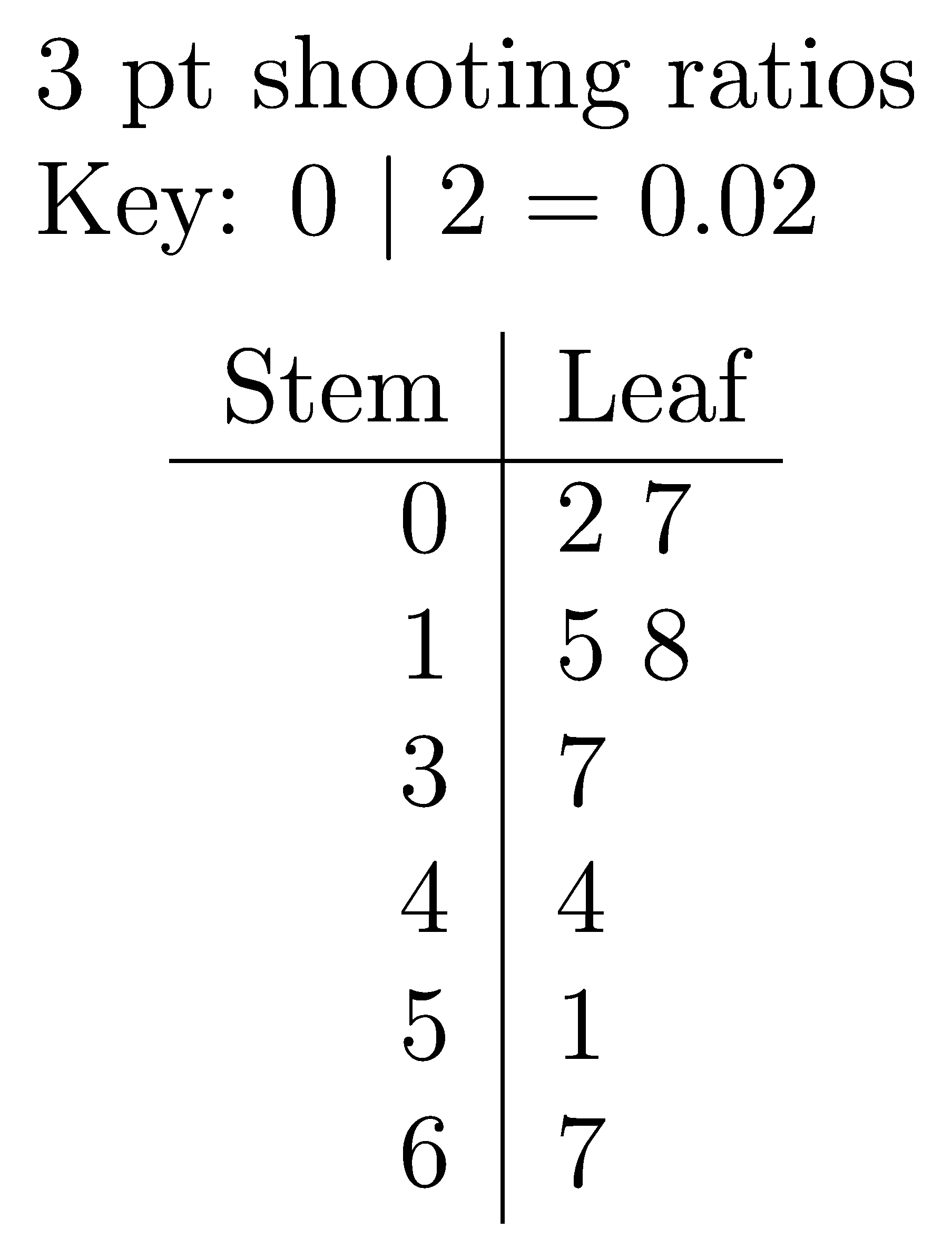
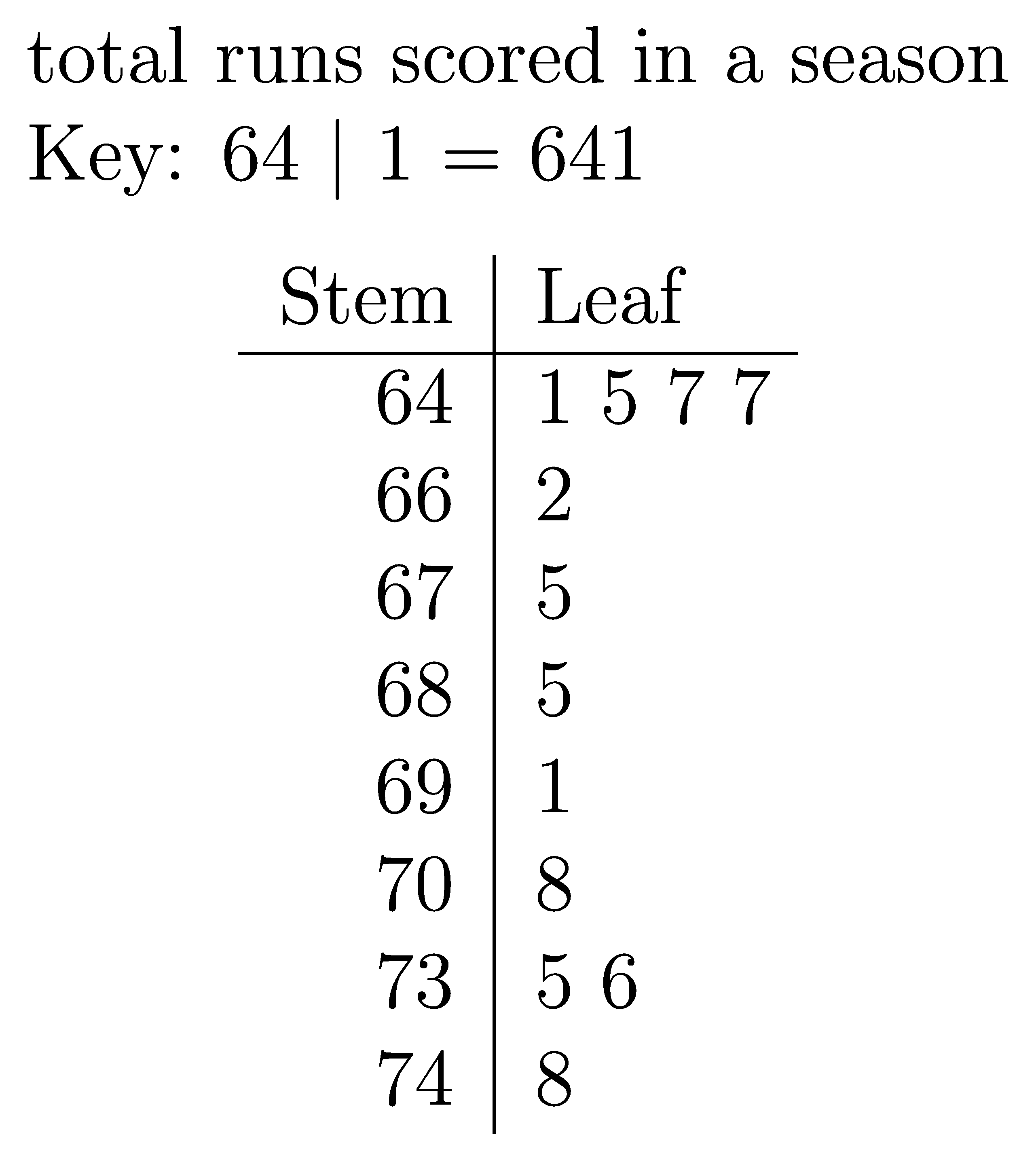
An example of a stem and leaf plot is below.
The python file to make a stem and leaf plot is below.
The required LaTeX files are below.
The custom python modules required are:
A sample text file is below:
6.1. Example stem and leaf plots
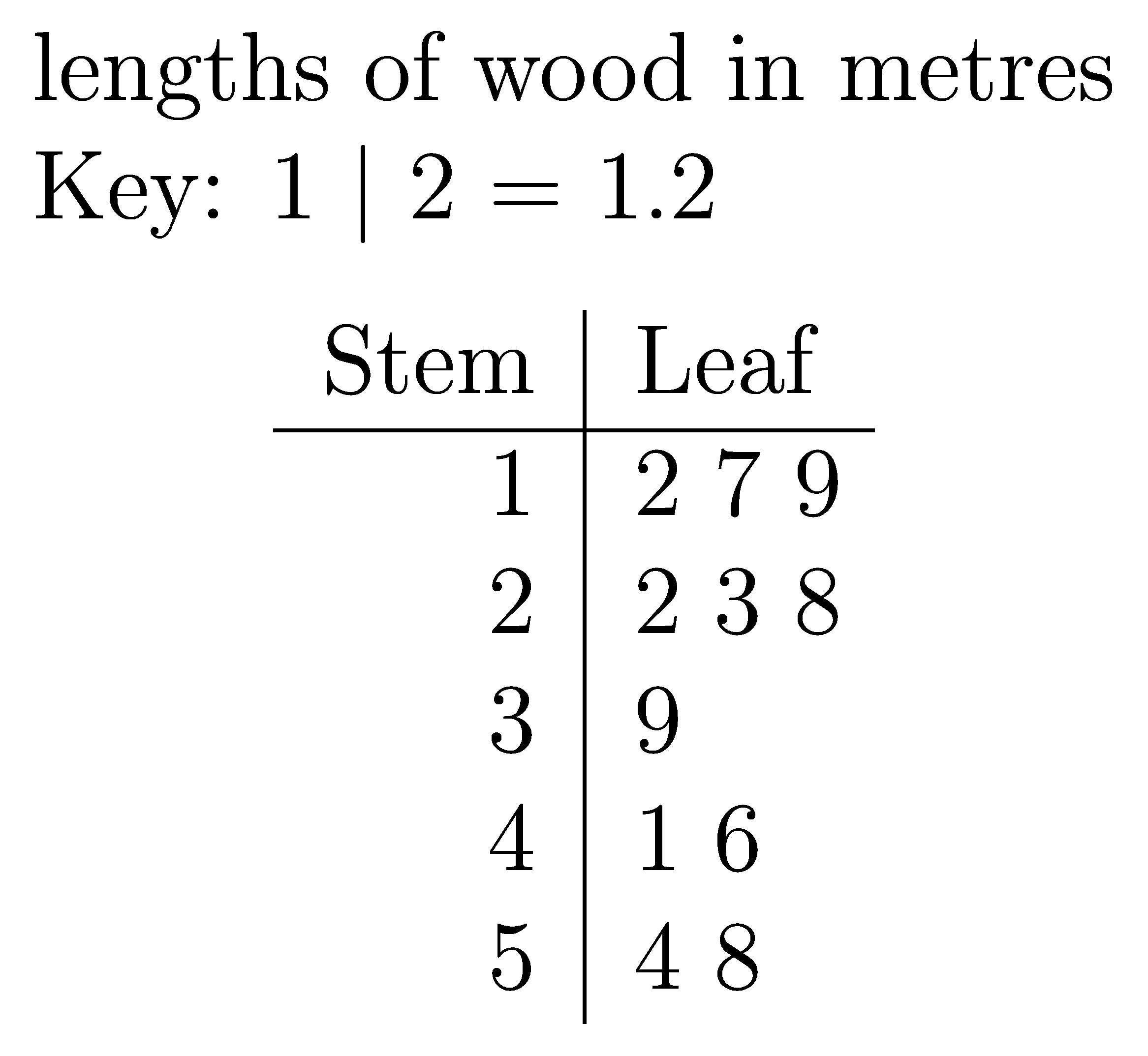
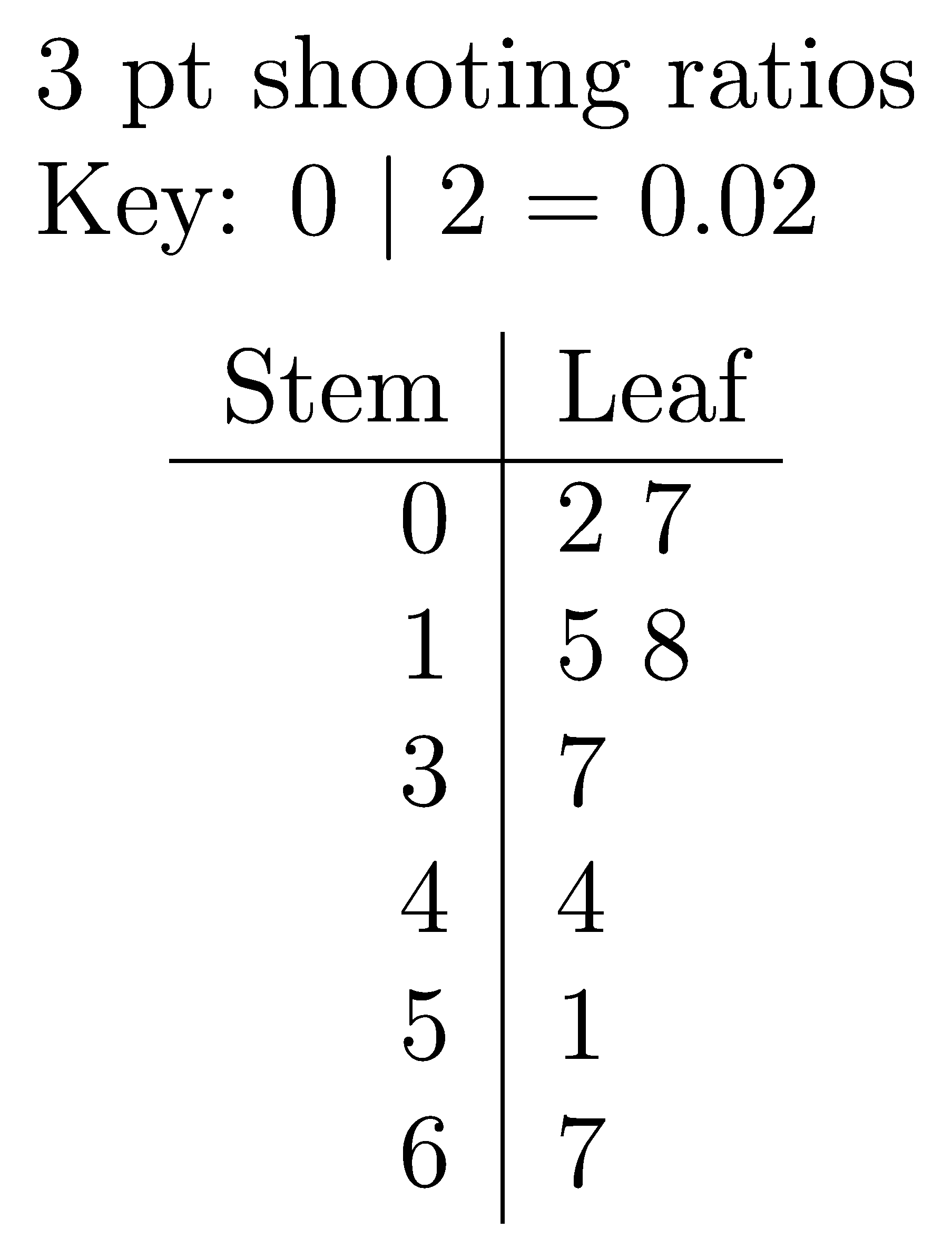
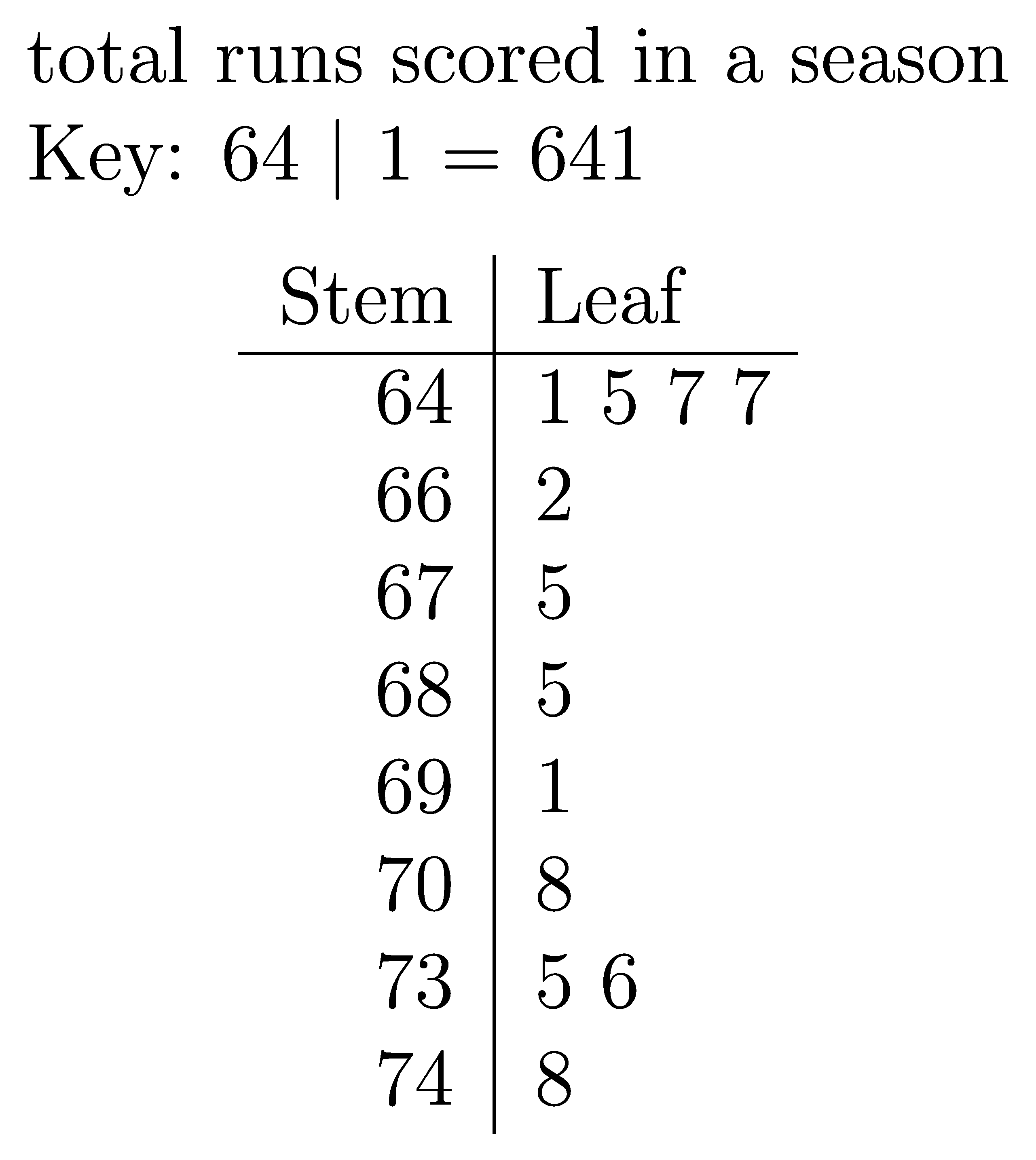
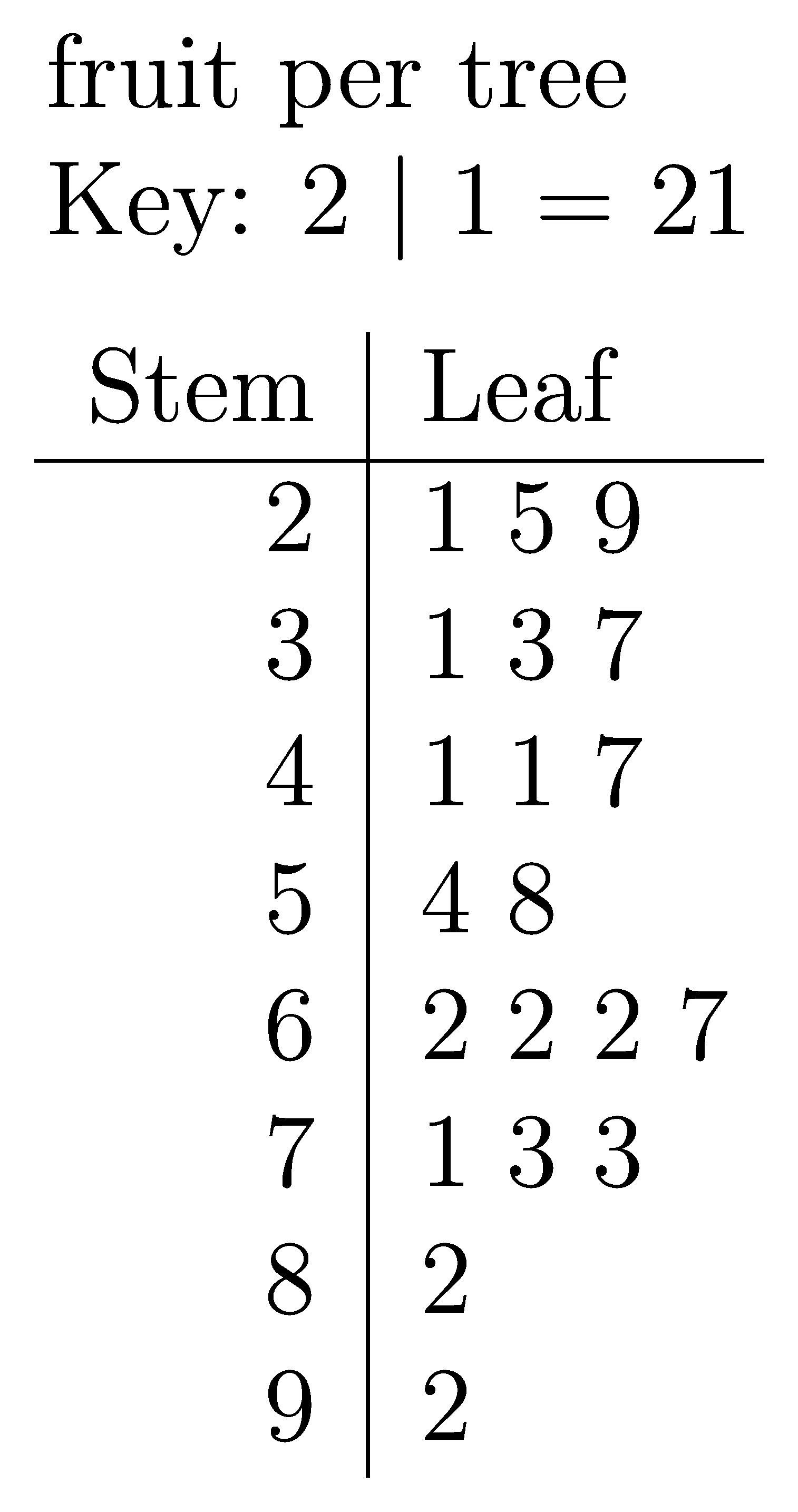
6.2. LaTeX
The .tex file template is shown below.
\documentclass[12pt]{standalone}
\usepackage{tikz}
\usetikzlibrary{positioning}
\begin{document}
\begin{tikzpicture}
\node[align=left] (top_node) at (0,0){<<title>> \\ Key: <<keystem>> $\vert$ <<keyleaf>> = <<keyvalue>>};
\node[below=of top_node,yshift=10mm] {
\begin{tabular}{r|l@{\hspace{4 pt}}}
Stem & Leaf\\
\hline
<<data>>
\end{tabular}};
\end{tikzpicture}
\end{document}
6.3. Txt file
The .txt file is shown below.
2 lines store data:
line 1: the plot title
line 2: a comma separated sequence of numeric values
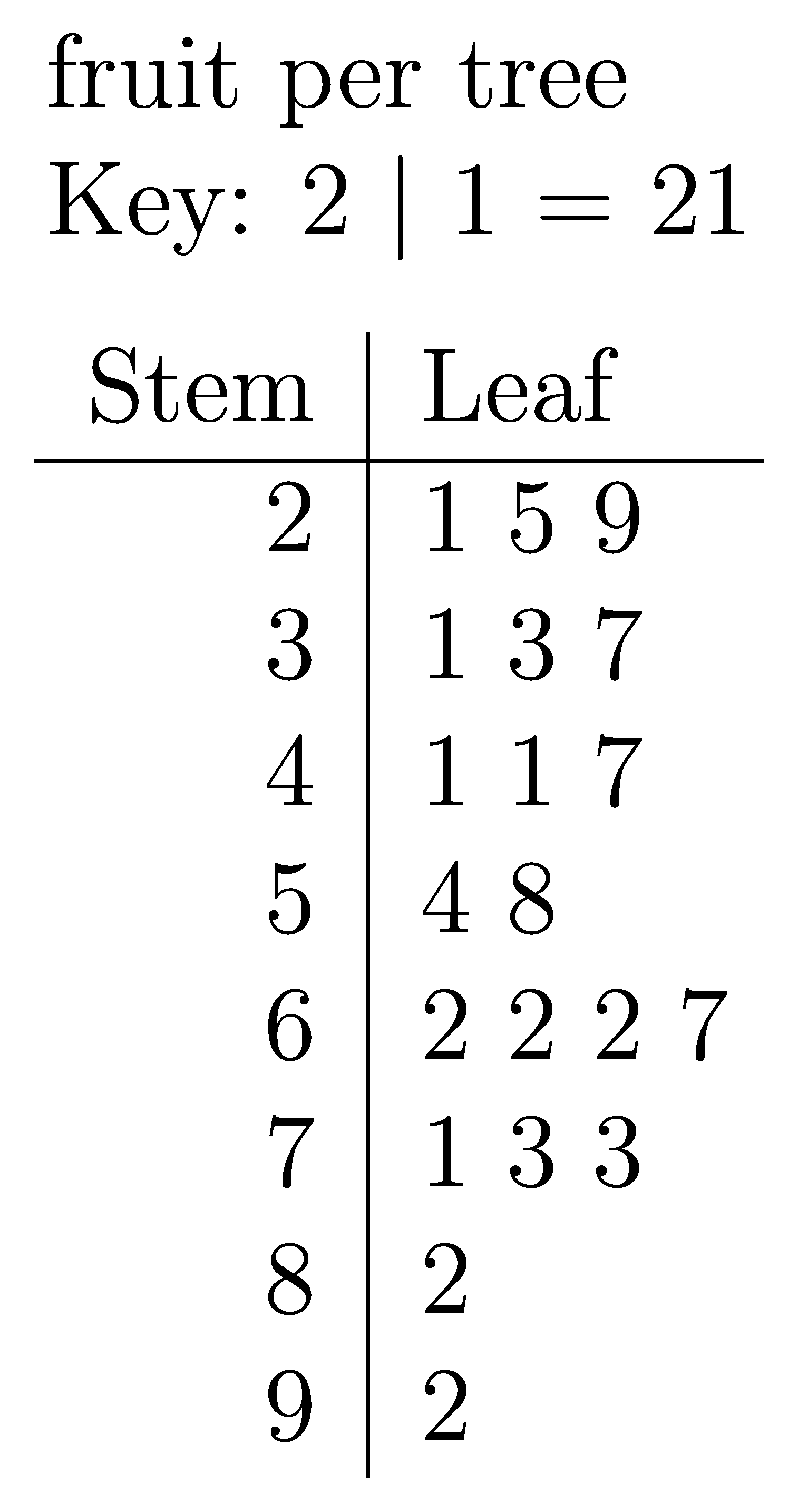
fruit per tree
29, 37, 25, 62, 73, 41, 58, 62, 73, 67, 47, 21, 33, 71, 92, 41, 62, 54, 31, 82
6.4. Png file
The .png file is shown below.
6.5. Python code
The python code is shown below.
from pathlib import Path
import subprocess
import os
from tkinter import filedialog
import time
import magick_pdf_to_png
from collections import namedtuple


currfile_dir = Path(__file__).parent
tex_template_path = currfile_dir / "stem_and_leaf_template.tex"

# named tuple for main data to be passed easily from one function to the next and used vai dot notation insetad of using a dictionary with keys.
Keydata = namedtuple("Keydata", ["keystem", "keyleaf", "keyvalue"])


def convert_to_pdf(tex_path, outputdir):
    tex_path = Path(tex_path).resolve()
    outputdir = Path(outputdir).resolve()
    # for testing
    # print(f"tex_path: {tex_path}")
    # print(f"outputdir: {outputdir}")
    try:
        # Generate the PDF
        subprocess.run(["latexmk", "-pdf", "-outdir=" + str(outputdir), str(tex_path)], check=True, stdout=subprocess.DEVNULL, stderr=subprocess.DEVNULL)
        # # Clean auxiliary files after successful PDF generation
        subprocess.run(["latexmk", "-c", "-outdir=" + str(outputdir), str(tex_path)], check=True, stdout=subprocess.DEVNULL, stderr=subprocess.DEVNULL)
        # for hosted remove stdout=subprocess.DEVNULL, stderr=subprocess.DEVNULL for debugging any errors
        # Remove the .tex file manually
        if tex_path.exists():
            os.remove(tex_path)
    except subprocess.CalledProcessError as e:
        print(f"Error: {e}")


def get_list_from_str(data_string):
    if ", " in data_string:
        data_list = data_string.split(", ")
    elif "," in data_string:
        data_list = data_string.split(",")
    else:
        data_list = data_string.split(" ")
    return data_list


def get_list_nums_from_str(num_string_list):
    have_dec = any("." in s for s in num_string_list)
    if have_dec:
        num_list = [float(n) for n in num_string_list]
    else:
        num_list = [int(n) for n in num_string_list]
    return num_list


def make_stem_leaf_data(num_list, interval):
    stem_leaves_dict = dict()
    for val in num_list:
        stem, leaf = divmod(val, interval)
        if str(stem) not in stem_leaves_dict:
            stem_leaves_dict[str(stem)] = str(leaf)
        else:
            stem_leaves_dict[str(stem)] += " " + str(leaf)
    data = ""
    for stem, leaves in stem_leaves_dict.items():
        data += f"{stem} & {leaves} \\\\"
    return data


def get_key_data(num_list, interval, multiplier, max_dp):
    val1 = num_list[0]
    stem1, leaf1 = divmod(val1, interval)
    key_value = int(str(stem1) + str(leaf1))
    if multiplier == 1:
        real_key_value = key_value
    else:
        real_key_value = round(key_value / multiplier, max_dp)
    key_data = Keydata(str(stem1), str(leaf1), str(real_key_value))
    return key_data


def stemplotdata(num_list, interval, multiplier, max_dp):
    # new_num_list, new_num2_list, interval, multiplier, max_dp
    # build dict with key=stem, value= built leaf string
    # stem_leaves_dict = {}
    num_list = sorted(num_list)
    # get data
    data = make_stem_leaf_data(num_list, interval)
    # get key_data for top of key
    key_data = get_key_data(num_list, interval, multiplier, max_dp)
    return key_data, data


def get_file_data(filename):
    # open the text file and read the numbers
    with open(filename) as f:
        # read the first line and store it in a variable
        main_title = f.readline().strip()
        # read the second line and store it in a variable
        numbers_string = f.readline().strip()
    #
    numbers_list = get_list_from_str(numbers_string)
    numbers_list = get_list_nums_from_str(numbers_list)
    # get rid of decimals by * by power of 10
    max_dp = max(
        len(str(x).split(".")[1]) if "." in str(x) else 0 for x in numbers_list
    )
    multiplier = 10**max_dp
    new_num_list = [int(x * multiplier) for x in numbers_list]
    # get interval based on no of digits
    interval_multiplier = max(len(str(x)) for x in new_num_list) - 1
    interval = 10**interval_multiplier
    # only want 1 in the leaf
    if interval > 10:
        interval = 10
    key_data, data = stemplotdata(new_num_list, interval, multiplier, max_dp)
    return main_title, key_data, data


def main():
    data_filename = filedialog.askopenfilename(initialdir=Path(currfile_dir))
    if data_filename == "":
        print("Exited, by clicking Cancel")
        return
    main_title, key_data, data = get_file_data(data_filename)
    # print(plot_title, numbers_string, numbers_labels, numbers_loop_max)

    # Create a Path object from the file path
    path_obj = Path(data_filename)

    # Get the file name from the Path object using the name attribute
    filename = path_obj.stem
    # filename = input("Enter the base filename to be added to the prefix dp_: \n")
    # if not filename:
    #     filename = "dp_1"
    # set names of files that are made
    tex_output_path = currfile_dir / f"{filename}.tex"
    pdf_path = currfile_dir / f"{filename}.pdf"
    png_path = currfile_dir / f"{filename}.png"

    # Read in the LaTeX template file
    with open(tex_template_path, "r") as infile:
        tex_template_txt = infile.read()

    # Replace the placeholders in the LaTeX template

    tex_template_txt = tex_template_txt.replace("<<title>>", main_title)
    tex_template_txt = tex_template_txt.replace("<<keystem>>", key_data.keystem)
    tex_template_txt = tex_template_txt.replace("<<keyleaf>>", key_data.keyleaf)
    tex_template_txt = tex_template_txt.replace("<<keyvalue>>", key_data.keyvalue)
    tex_template_txt = tex_template_txt.replace("<<data>>", data)

    # Write the question tex to an output file
    with open(tex_output_path, "w") as outfile:
        outfile.write(tex_template_txt)

    # Wait for the files to be created
    time.sleep(1)
    # Convert the LaTeX files to PDFs
    convert_to_pdf(tex_output_path, currfile_dir)

    # Wait for the files to be created
    time.sleep(1)
    # Convert the PDFs to PNGs
    magick_pdf_to_png.convert_pdf_to_png(pdf_path, png_path)


if __name__ == "__main__":
    print("starting")
    main()
    print("finished")